


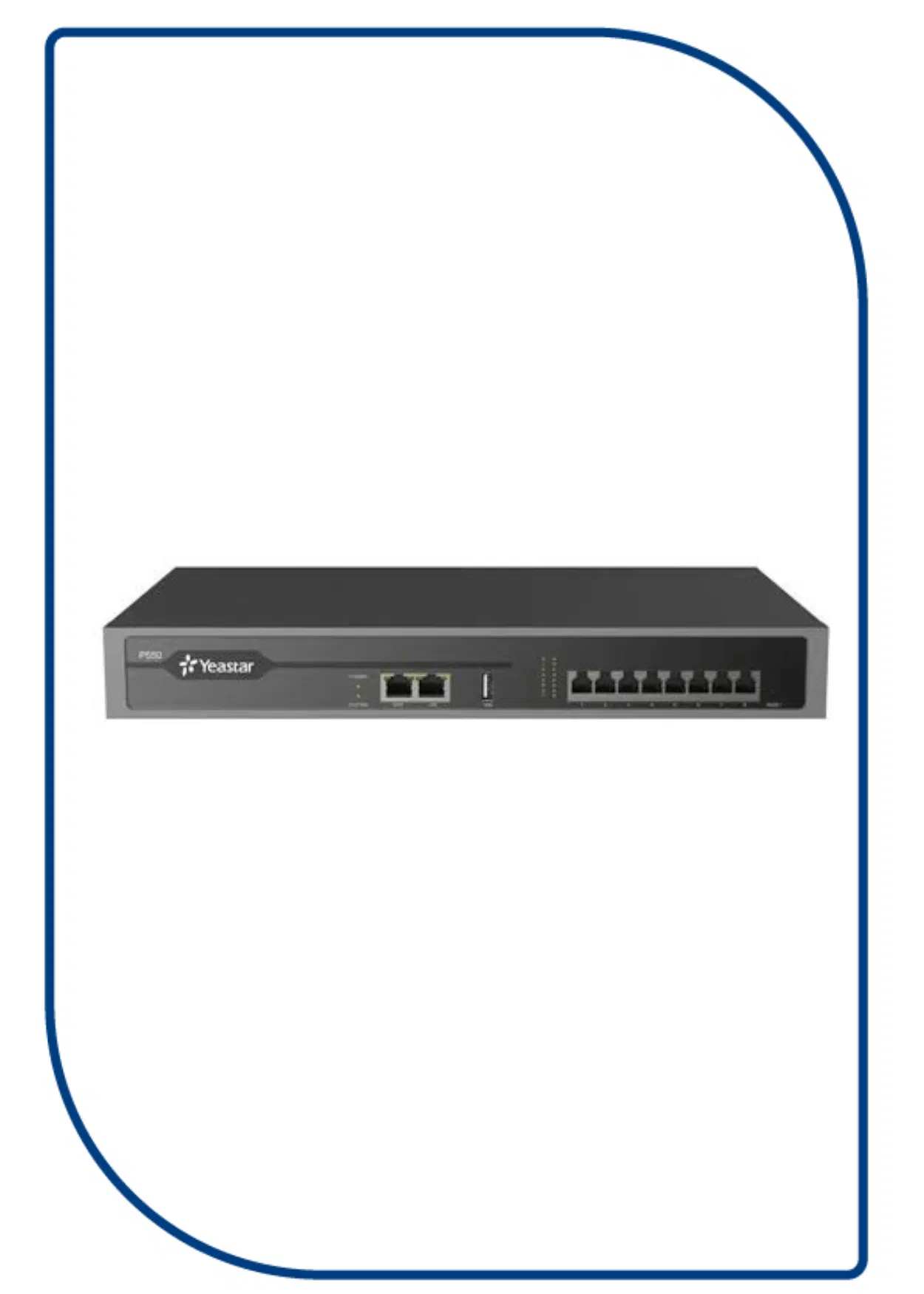
Description
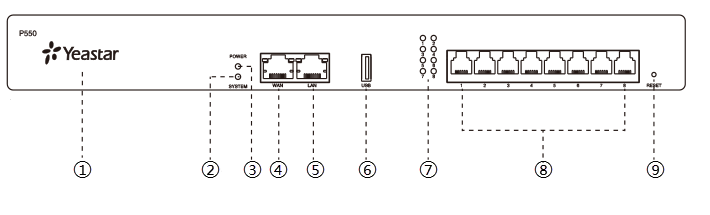
| No. | Indicator, Button or Interface | Description |
|---|---|---|
| ① | NFC Tag | Tap NFC-capable mobile phone’s back against Yeastar logo to quickly configure network settings. |
| ② | System Indicator | Indicate the system status.
|
| ③ | Power Indicator | Indicate the power status. |
| ④ | WAN Port |
For connection to Wide Area Network (WAN). |
| ⑤ | LAN Port | For connection to Local Area Network (LAN). |
| ⑥ | USB Slot | Insert a USB flash drive to store voicemails, logs, or recording files. |
| ⑦ | 1-8 LED (RJ11 port status) | Indicate the ports’ status.
|
| ⑧ | 1-8 port (RJ11 ports) |
|
| ⑨ | Reset button | Press the button and hold for 10 seconds to restore to factory defaults. |
Rear panel
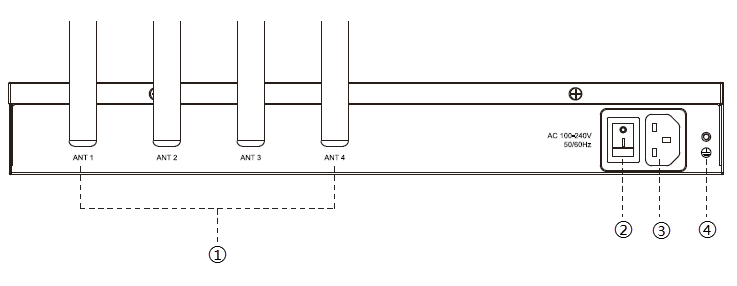
| No. | Button or Interface | Description |
|---|---|---|
| ① | Antenna Socket | Rotate the antenna into the Antenna Socket. |
| ② | Power Switch | Press this button to switch on/off the device. |
| ③ | Power Inlet | Connect the supplied power supply to the port. |
| ④ | Protective Earth | Connect to the ground to reduce the risk of electrocution to the user or protect the PBX from bad effects of external noise in case of a lightning strike. |